
 USD
USD
How to Build a Shopify Store for Print-on-Demand: Beginner’s Guide

Introduction
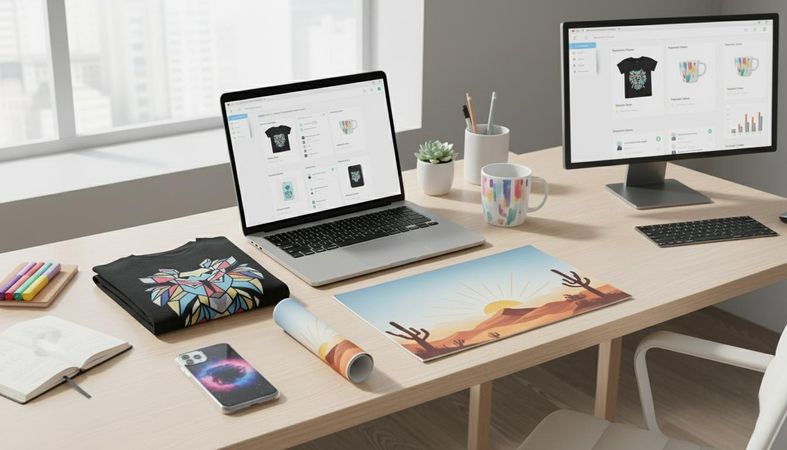
The Print-on-Demand (POD) business model has transformed the world of eCommerce. Instead of investing thousands into inventory, storage, or bulk manufacturing, creators can now design products digitally and sell them worldwide — all without ever touching physical stock. When customers place an order, the product is printed and shipped automatically. Simple, low-risk, and scalable.
Among all eCommerce platforms available today, Shopify stands out as the leading choice for POD sellers. Its intuitive interface, customizable themes, and vast integration ecosystem make it ideal for beginners who want to launch their business quickly.
To streamline fulfillment, many Shopify sellers choose a reliable POD partner to print and ship their products. This is where PODpartner comes in — a trusted print-on-demand and white-label apparel provider offering premium quality, fast fulfillment, and complete design freedom. With features like embroidery, global shipping, custom branding, and a beginner-friendly product designer, PODpartner makes it easier than ever to turn creative ideas into real products.
If you're ready to build a POD Shopify store from scratch, this beginner-friendly guide will walk you through every essential step — from choosing your niche to launching your store.
Understanding the Print-on-Demand Business Model
Print-on-Demand is an eCommerce model where products are manufactured only after a customer buys them. This eliminates the need for inventory and reduces financial risk, making POD ideal for new entrepreneurs, designers, or anyone starting an online business with limited upfront capital.
How POD Works: A Simple Breakdown
- Create your design and upload it to products such as hoodies, t-shirts, tote bags, sweatshirts, and more.
- Publish the products in your Shopify store with your chosen pricing and branding.
- Customer places an order on your site.
- PODpartner handles fulfillment — printing, packing, and shipping directly to your buyer.
Why POD is so popular:
- Zero upfront inventory cost — only pay when a sale is made.
- Automated operations — no printing, shipping, or warehousing.
- Low starting risk — perfect for testing designs or entering new niches.
- Scalable — add unlimited designs without increasing workload.
Choosing the right fulfillment partner is essential. A professional, quality-driven provider like PODpartner ensures your products look great, ship quickly, and reflect the premium branding customers expect.
Step 1: Choose Your Niche and Target Audience

Your niche defines who you're selling to, what kind of products you create, and how your brand stands out from competitors. A well-defined niche helps you attract the right audience and improves marketing efficiency.
High-Potential POD Niches
- Fitness & gym lifestyle
- Pets (dogs, cats, specific breeds)
- Streetwear fashion
- Minimalist lifestyle
- Humor & meme designs
- Self-care & mental wellness
- Eco-friendly lifestyle
- Hobbies like gaming, gardening, or travel
When choosing your niche, analyze current demand. Tools like Google Trends, Pinterest Trends, Instagram hashtags, and TikTok viral categories can help identify rising trends.
Your niche should ideally match your interests — running a store becomes much easier when you genuinely enjoy designing for your audience.
Step 2: Create Your Shopify Account
Shopify makes it effortless for beginners to launch a professional online store.
How to set up your Shopify account:
- Sign up for a Shopify free trial — explore features without committing.
- Choose your store name — pick something brand-ready and niche-specific.
- Set your default store URL — you can replace this later with a custom domain.
- Choose a subscription plan when you're ready to go live.
Shopify provides powerful tools including analytics, SEO settings, product categories, apps, and integrations — all essential for running a POD business smoothly.
Step 3: Choose and Customize Your Shopify Theme
Your theme determines the look and feel of your online store. A clean, modern design helps build trust and improves conversions.
Tips for choosing a POD-friendly theme:
- Choose a layout with strong product pages and easy navigation.
- Ensure it loads fast and looks polished on mobile devices.
- Look for themes offering multiple image sections for showcasing product mockups.
Once your theme is installed, customize it by:
- Uploading your logo
- Setting a color palette that matches your brand
- Choosing easy-to-read fonts
- Creating a welcoming homepage with banners and featured collections
- Adding product categories for easy browsing
Keep everything visually simple and user-friendly. Clarity sells.
Step 4: Connect Your POD Platform (PODpartner)
To start selling POD products, you need to connect Shopify with a trustworthy fulfillment provider. PODpartner integrates seamlessly with Shopify, allowing you to sync products, monitor orders, and automate the fulfillment process.
Why PODpartner is an excellent choice for Shopify sellers:
- No upfront cost — perfect for beginners.
- Premium printing & embroidery — professional-grade quality customers love.
- Fast fulfillment — reduces shipping times and boosts customer satisfaction.
- Maximized design freedom — upload your own artwork or create using their design tools.
- Global delivery — ship to customers worldwide.
- Brand customization — add inside labels, packaging upgrades, hang tags and more.
- Beginner-friendly product builder — preview designs instantly.
Connecting PODpartner to Shopify takes only a few minutes — simply install the app, sync your account, and start creating products.
Step 5: Create and Add Your Products
Now the fun begins — designing your apparel and accessories.
Since PODpartner focuses on the apparel sector, if your niche market is also clothing, then with PODpartner’s design editor, you can customize a wide range of items:
- Hoodies
- T-shirts
- Sweatshirts
- Long sleeves
- Tank tops
- Pants
- And more
Tips for creating amazing designs:
- Use high-resolution artwork (300 DPI recommended).
- Keep your design centered and balanced.
- Match your design style to your niche audience.
- Use color combinations that contrast well on apparel.
- Order a sample to verify print quality before launching.
Once your products are ready, add persuasive product descriptions and SEO-optimized titles. Highlight fabric quality, fit, print method, and what makes your brand unique.
Step 6: Configure Payments, Shipping & Taxes
Before going live, ensure your store is fully functional.
Payments
Enable methods such as:
- Shopify Payments
- PayPal
- Credit/debit cards
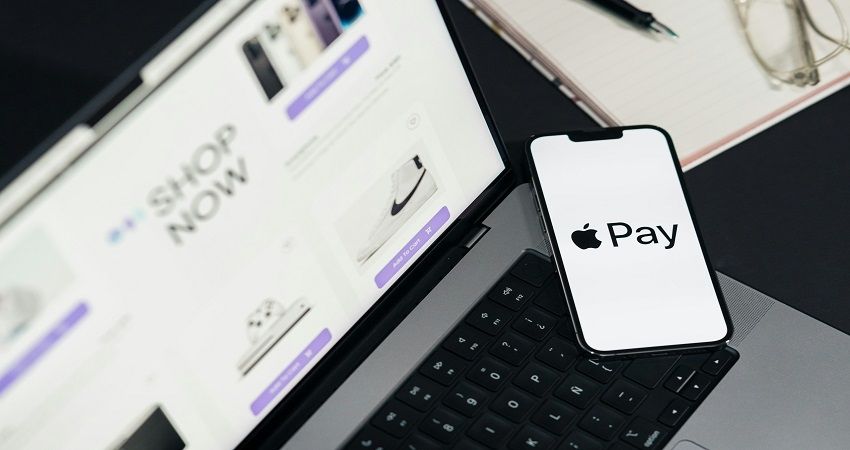
- Apple Pay & Google Pay
Shipping
Set clear shipping rules. PODpartner simplifies this process since their global fulfillment automatically optimizes routing.
Taxes
Shopify can auto-calculate taxes based on customer location — a huge time-saver.
Step 7: Optimize Your Store for SEO and Branding
Brand identity and SEO are essential long-term growth drivers.
Your branding should include:
- A memorable logo
- Consistent colors and typography
- A recognizable tone of voice
- A clean, aesthetic product gallery
- Clear value messaging (“Premium Quality Guaranteed”, “Fast Fulfillment”, etc.)
Essential SEO tips:
- Add keywords to product titles and meta descriptions.
- Use alt-text on all images.
- Write clear, detailed product descriptions.
- Create blog content that targets niche search queries.
Marketing Channels to Leverage
- Pinterest (high-conversion traffic source for apparel brands)
- Instagram Reels & TikTok (great for lifestyle content)
- Email marketing for abandoned cart recovery and product launches
- UGC reviews & testimonials — strong social proof encourages trust
Step 8: Launch and Promote Your Store
Do a final check of your homepage, product pages, and checkout experience.
When everything looks polished, it’s time to launch.
Smart ways to promote your POD store:
- Share videos of your design process.
- Promote trending items with short-form video content.
- Create niche-specific Pinterest boards.
- Run a launch giveaway to build early engagement.
- Use PODpartner’s branding features to deliver a memorable unboxing experience.
A strong promotional launch sets the tone for your brand’s growth.
Avoid These Common Beginner Mistakes
Many new POD sellers struggle because they overlook key details. Avoid these pitfalls:
- Choosing a niche that is too broad
- Publishing low-quality or rushed designs
- Ignoring SEO and relying only on paid ads
- Skipping sample orders
- Overloading the store with too many products at launch
- Not optimizing product pricing for profit margin
Stay consistent, focus on quality, and keep refining your designs.
Conclusion
Starting a Shopify Print-on-Demand business is one of the most achievable ways to turn creativity into income. By selecting a strong niche, building a clean store, and selling quality apparel through a dependable partner, you set yourself up for long-term success.
PODpartner makes the entire process easier — from premium printing and embroidery to fast fulfillment, global shipping, and brand customization. Whether you're a beginner or a seasoned creator, PODpartner gives you everything needed to launch and scale a professional POD brand.
Now is the perfect time to begin. Start building your Shopify POD store today with PODpartner — your trusted print-on-demand ally.
Further reading

No Order Minimums

No Membership Fees

No Unsold Stock

No Quality Concerns
Only Creativity, Satisfaction, and Profits!