
 USD
USD
Etsy Listing Photo Size Guide and Optimization Tips

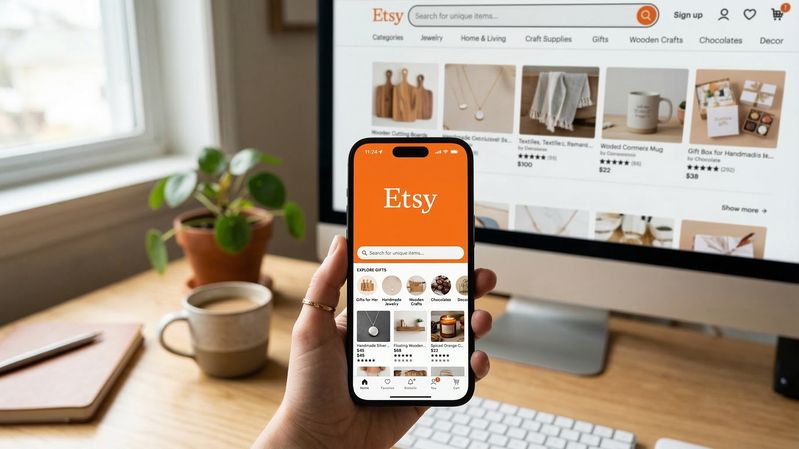
Scroll through Etsy search results for thirty seconds and one thing becomes obvious. The listings that get clicked almost always win on visuals first.
Product photos carry the weight on Etsy. They act as your storefront window, your salesperson, and your packaging preview all at the same time. Before shoppers read a title, before they scan a description, they judge the product based on that first image.
That’s why image quality directly affects both click-through rate and conversion rate. Clear, well-framed photos grab attention in crowded search pages. Poorly cropped or blurry images signal inexperience and push buyers toward competing listings.
New sellers often run into confusion here. Etsy supports multiple image types, different display formats, and automatic cropping in search thumbnails. One photo might look perfect on your computer but appear awkwardly cut off once uploaded.
Understanding Etsy’s image sizing rules removes most of that frustration.
This guide breaks down recommended Etsy listing photo sizes, technical formatting requirements, and practical optimization tips that help listing photos attract clicks and convert shoppers into buyers.
Recommended Etsy Listing Photo Size and Technical Requirements
Etsy allows fairly large product images, which is good news for sellers who want sharp, professional visuals.
The commonly recommended size for listing photos is 2000 pixels on the shortest side. Many sellers upload images around 2000 × 1500 pixels, which fits nicely with Etsy’s display layout.
Technically, Etsy accepts smaller images, but anything below about 1000 pixels wide starts losing clarity, especially when buyers zoom in.
Ideal Aspect Ratio and Orientation
Etsy’s interface favors a 4:3 aspect ratio, typically in horizontal orientation.
This ratio works smoothly across different parts of the marketplace, including:
- Search result thumbnails
- Listing galleries
- Mobile displays
- Shop sections
Portrait images can still work, but they’re more likely to be cropped awkwardly when Etsy generates thumbnails.
Supported Image File Formats
Etsy supports several common image formats:
- JPG – Best choice for most product photos because it balances quality and file size.
- PNG – Useful for graphics or designs that need very crisp edges.
- GIF – Supported but rarely used for product photography.
For typical listing photos, JPG is the safest option.
Resolution, Color Profile, and File Size
Web images don’t need print-level resolution, but they should still be sharp enough to hold up on modern screens.
Recommended technical settings include:
- Resolution: Around 72 PPI (standard for web display)
- Color profile: sRGB for consistent colors across devices
- File size: ideally under about 1 MB for faster loading
Large files can slow down page speed, especially for mobile users.
How Etsy Handles Image Display
Etsy automatically resizes uploaded images for different parts of the platform. The same photo may appear as:
- A small thumbnail in search results
- A medium preview on your shop page
- A full-resolution image in the listing gallery
Because of this, sellers should keep the main product centered with some breathing room around it. Tight cropping can cause important details to disappear in thumbnails.
Other Etsy Image Sizes Sellers Should Know

Listing photos get most of the attention, but several other images contribute to how professional your shop looks.
Shop Icon and Profile Photo
Your shop icon acts like a miniature logo for your store.
Recommended size: 500 × 500 pixels
This image appears in several places across Etsy, including shop pages, reviews, and messages. A simple, recognizable icon helps build brand familiarity.
A profile photo works similarly but represents the shop owner. Etsy encourages sellers to add one because buyers tend to trust shops that feel more personal.
Shop Banners
Banners sit at the top of your shop page and shape the first impression visitors get.
Etsy offers two banner formats:
- Big banner: about 1600 × 400 pixels
- Mini banner: about 1600 × 213 pixels
The larger banner gives sellers space to highlight their brand style, featured products, or a promotional message. Mini banners provide a cleaner, more minimal header.
A polished banner immediately signals that a shop is active and professionally maintained.
Listing Thumbnails
The first image in your listing automatically becomes the thumbnail shown in search results.
This tiny preview is where most clicks are won or lost.
Because thumbnails are small and sometimes cropped, products should be framed clearly with strong contrast against the background. If the item blends into the environment or sits too close to the edges of the frame, it can become hard to recognize at thumbnail size.
How to Optimize Etsy Listing Photos for More Clicks and Sales
Use a Strong First Listing Image
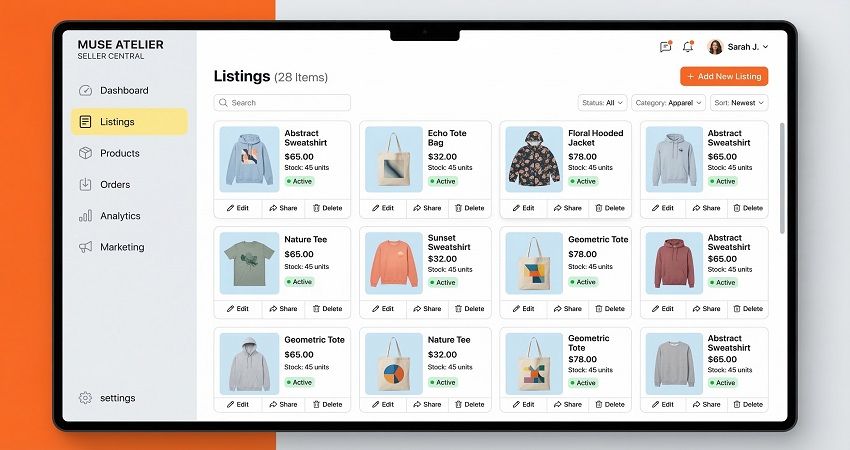
The first photo is the most important one in the entire listing.
A high-performing main image usually has three qualities: a clean background, good lighting, and a clearly visible product.
Neutral backgrounds often work best because they allow the product to stand out. White, light gray, or soft lifestyle settings are commonly used because they reduce visual noise.
The goal is simple. When a shopper glances at the thumbnail, they should immediately understand what the product is.
Show Multiple Angles and Details
Etsy allows up to ten listing images, and strong listings usually use several of them.
Different photos can highlight different aspects of the product, including:
- Close-ups of textures or materials
- Multiple angles
- Size comparisons
- Packaging or included accessories
These images help answer the buyer’s questions before they even ask them. The more clearly a product is explained visually, the more comfortable shoppers feel purchasing it.
Include Lifestyle or Context Photos
Lifestyle photos show the product in a real-world setting.
Instead of showing a candle on a plain surface, imagine it lit on a coffee table during a cozy evening scene. Instead of a shirt floating on a blank background, show someone wearing it outdoors.
These contextual images help buyers imagine how the product fits into their daily life. That mental picture often nudges shoppers closer to clicking the purchase button.
Maintain Consistent Branding Across Images
Strong Etsy shops maintain a consistent visual style across their listings.
That means similar lighting, background colors, editing style, and composition. When product images follow the same aesthetic, the shop begins to feel like a recognizable brand rather than a collection of random listings.
Consistency builds trust, and trust drives conversions.
Image Editing and Resizing Tips for Etsy Sellers
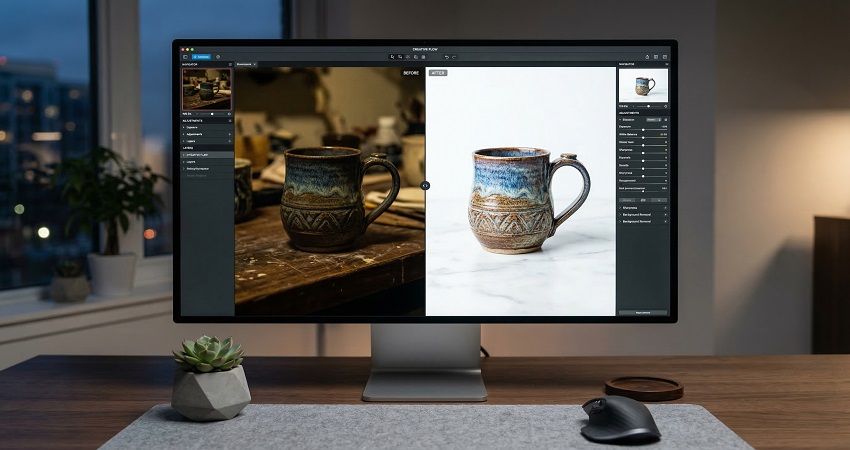
Even great photos usually need a little editing before they’re ready for Etsy.
Basic adjustments like brightness, contrast, and cropping can dramatically improve how professional a product looks. Clean edges, balanced lighting, and consistent framing help listings stand out.
When resizing images, always reduce dimensions rather than stretching them larger. Enlarging a small image often causes blur and pixelation.
Many sellers rely on simple editing tools such as Canva or Photoshop to resize and optimize images while maintaining quality.
For sellers working with print-on-demand products, photography isn’t always practical. Instead, they often use product mockups to generate listing visuals.
Platforms like PODpartner provide ready-made mockups for apparel and other products that can be resized to Etsy’s recommended photo dimensions. This allows sellers to create polished listing images without setting up a full product photography studio.
Common Etsy Listing Photo Mistakes to Avoid

Some photo mistakes show up repeatedly in new Etsy shops.
One of the most common issues is low-resolution images. Blurry or pixelated photos immediately reduce buyer confidence.
Another problem is overly tight cropping. When Etsy generates thumbnails, part of the product may disappear, leaving a confusing preview.
Inconsistent backgrounds can also make a storefront feel messy. If every listing uses a completely different style of photography, the shop lacks visual cohesion.
Finally, extremely large image files can slow loading speed, especially on mobile devices. Fast-loading pages help keep shoppers engaged.
Conclusion
On Etsy, product photos are far more than decoration. They are the first impression, the product explanation, and often the deciding factor that convinces someone to click a listing.
Using properly sized images ensures that listings appear sharp across search results, shop pages, and mobile screens. Pairing those technical settings with thoughtful composition, clean backgrounds, and lifestyle photos creates visuals that feel professional and trustworthy.
When sellers take the time to refine their listing images and maintain a consistent visual style across their shop, they build a storefront that not only looks better but also converts more visitors into customers.