
 USD
USD
How to Link Shopify to Instagram for More Sales & Traffic


When you do not sell on Instagram and have a Shopify shop, then you are leaving money on the table. Plain and simple.
Instagram is now among the quickest methods which allow customers to make the transition between “That looks interesting, to I will buy it. Its visual-first structure is ideal to display the product in real-life application, and Shopify takes care of the mundane yet very important stuff, such as inventory, payments, and order fulfillment.
Here, I will deconstruct the actual functionality of Instagram Shopping with Shopify, the requirements before rolling it out, the step-by-step process of connecting all the dots, and—most importantly—how to utilize this integration to drive real sales, as opposed to just engagement.
Why Instagram Is No Longer “Just” a Marketing Channel

It is old-fashioned to think of Instagram as a branding-only platform.
Instagram has become a complete shopping experience as individuals seek products both actively and taking the time to compare and decide on what they want to purchase. Having over 1.4 billion monthly active users it is no longer in the side channel, it is where purchase decisions are being made in real time.
Shoppers no longer go window shopping. They browse via posts, Stories, Reels, and the Shop tab- particularly in the fashion, accessories, home decor and gift areas.
This is the most crucial change most brands fail to implement:
People do not desire to work in order to purchase.
You lose users when you compel them to follow biolink and wait till a site loads and then go on the hunt again to find the product. Instagram Shopping eliminates such friction. Customers are able to tap a product as soon as they can see it and proceed to check out without losing momentum.
Less friction = more sales.
How Instagram Shopping Actually Works With Shopify
Instagram Shopping does not substitute your shop- it makes Instagram the front window.
This is the way the system actually works:
Product Tags: It is possible to tag products in posts, Stories and Reels. A single tap displays the price and information no guessing, no searching.
Instagram Shop Tab: You have a special Shop tab on your profile that allows people to browse your catalog in a mini storefront.

In-App Browsing: The customers will not be kicked out of Instagram right away, and it allows them to have more time to be interested in the products.
Shopify Checkout: Shoppers are transported to your Shopify store when it comes time to make a purchase, and the checkout, payment, and order processing are completed safely.
In the background, Shopify provides the operation- inventory, pricing and order management. Instagram just puts the products in the areas where people are already attentive.
This is much more efficient than the previous technique of the so-called link in bio that depends on patience and motivation on the part of the users. Instagram Shopping uses the locations that customers are already at and that is precisely the reason why it is more likely to convert.
What Does It Take to Connect Shopify to Instagram?
The following are requirements before knowing how to integrate Shopify with Instagram.
Active Shopify Store
You need an active Shopify store with products ready to sell.
- Products must be published and visible
- Payments must be enabled
- Shipping, return and contact policies must be alive.
This will allow the customers to view and make their purchases without inconvenience.
Facebook and Instagram Business Accounts
Instagram Shopping requires business-level accounts.
- A Facebook Business Page
- A Meta Business Manager account
- An Instagram Business account (not personal)
These accounts must be connected so Meta can manage your product catalog through Commerce Manager.
Supported Country
Instagram Shopping will not be accessible in all countries. Find out whether your target markets and business location are viable ahead of establishment.
Meta Product Compliance
Your products must comply with Meta’s commerce policies. Selling restricted or non-compliant products can result in your Instagram Shopping feature being disabled.
Important:
By April 24, 2024, the U.S based Instagram Shops will need to utilize Checkout on Facebook and Instagram via Commerce Manager to enable shopping, and product tagging functionality.
Instagram to Shopify: How to use Instagram with Shopify.
The following are the instructions of linking Shopify and Instagram. It works in the same way on both desktop and mobile with minor interface variations.
Step 1: Switch to an Instagram Business Account
On desktop
- Open Instagram.com and log in.
- Click the gear icon in the top-right corner.
- Select Professional account.
- Go to Business tools and controls and choose Switch to business account.
On the mobile app

- Open the Instagram app and go to your profile.
- Tap the three horizontal lines and select Settings and privacy.
- Tap Business tools and controls.
- Scroll down and select Switch account type.
- Choose Switch to business account.
Step 2: Integrate Instagram with Your Facebook Page.
The integration of Instagram and Facebook allows access to the Commerce Manager of Meta.
On desktop
- Go to your Facebook Business Page in Meta Business Suite.
- Follow the setup prompts and select Connect an Instagram profile.
- Click Connect and allow access.
- Log in to verify your account.
On the mobile app
- Open the Facebook app and log in to your business page.
- Tap the menu icon and select Meta Business Suite.
- Go to Settings and find Instagram under Linked accounts.
- Tap Connect Instagram and log in.
Step 3: Install the Facebook & Instagram App on Shopify
Installing this app allows Shopify to sync your products with Instagram.
On desktop
- Log in to your Shopify admin.
- Search for Facebook & Instagram in the Shopify App Store.
- Click Install.
On the mobile app
- Open the Shopify app.
- Tap Store at the bottom.
- Click on Sales channels, and click on Add.
- Search Facebook, Instagram and press Add.
Step 4: The fourth step involves linking your Facebook business account with Shopify.
After installing the app connect your Meta assets.
On desktop
- Install the Facebook and the Instagram app in Shopify.
- Click Get started and choose the option of Connect account.
- Select your Instagram and Facebook Page.
- Submit for review.
On the mobile app
- Open up the Facebook & Instagram sell channel.
- Tap Get Started.
- Choose the accounts that you desire to link and tap Connect.
On submitting, your account will be reviewed by Meta. After this approval, the Facebook and Instagram channel would be listed in your Shopify sales channels list.
Step 5: Import and Tag Your Shopify Products on Instagram
After approval, Shopify automatically syncs your product catalog.
On desktop
- Go to Sales channels in Shopify.
- Open Facebook & Instagram.
- Confirm your products have synced.
- Create an Instagram post and select Tag products.
On the mobile app
- Open the Shopify app and go to Sales channels.
- Select Facebook & Instagram and confirm sync.
- Create a post or story on Instagram.
- Tap Tag products and select your Shopify items.
Tips for Selling on Instagram With Shopify
Selling on Instagram requires more than product tags. You still need to actively market your store.
Run Instagram Ads
Instagram ads help you reach users beyond your followers. You can target audiences based on interests, behaviors, and past interactions.
Dynamic ads are especially effective for retargeting users who viewed products but didn’t purchase.
Complete Your Instagram Profile
A sparse profile doesn’t build trust.
- Use a clear business name and category
- Add a recognizable logo
- Write a concise bio explaining what you sell
- Include a link to your Shopify store
Post High-Quality Content
Instagram is visual-first.
Use good photos and videos that will demonstrate products in various positions and in real life. Single images may not be as effective as reels and carousels.
Write Engaging Captions
Pictures are noticed, but words are noticed.
Apply storytelling to clarify worth and have explicit action. Prompts, polls and questions promote participation.
Engage With Your Audience
Replying to comments and responding to direct messages. Interaction with the followers fosters confidence and expands repeat purchase.
Host Giveaways and Contests
Promotions make users like, comment, and repin your content. This brings more exposure and presents your brand to new people.
Discount Offers and Promotions.
Conduct Instagram-only promotions or flash sales. Use posts, stories, and ads to develop a sense of urgency in terms of share discounts.
Track Your Performance
Track the engagement, clicks, and conversions with Instagram Insights and Shopify analytics. Test and improve your strategy as you develop.
Selling on Instagram With Print-on-Demand
Instagram allows easier sales through print-on-demand without the need to have inventory.
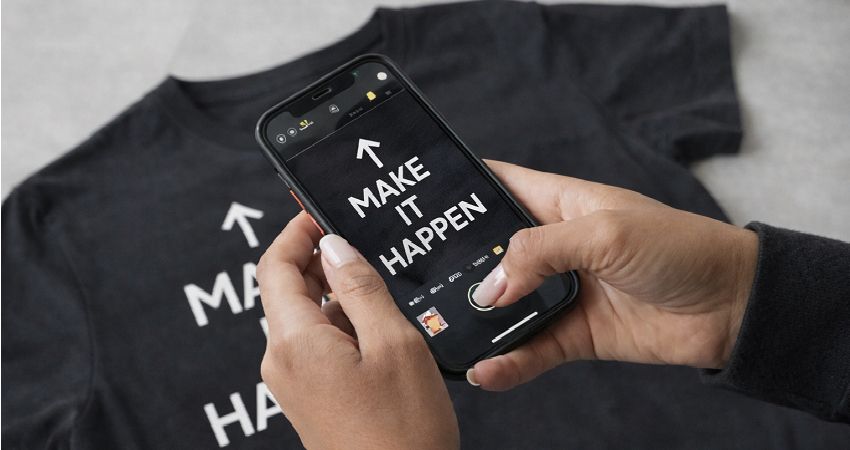
Print on demand involves manufacturing a product once the customer orders the product. This will enable you to experiment on designs fast and prevent unsold inventory.
On-demand production, branding on demand, and fulfillment are managed by platforms such as PODpartner, enabling the sellers to specialize in creating and promoting content and ensuring high reliability of delivery.
The model is very effective with creators, clothing brands, and merchandise sellers who require flexibility and scalability.
Conclusion
The connection of Shopify to Instagram will bring less friction between the discovery and the checkout process.
Instagram can be more than a marketing channel when supplemented with continuous content, active participation, and trusted delivery, it will qualify as a valuable source of traffic and sales.
The basic building block is integration. It is the growth of its effectiveness of usage.
Further reading

No Order Minimums

No Membership Fees

No Unsold Stock

No Quality Concerns
Only Creativity, Satisfaction, and Profits!