
 USD
USD
Printing T-Shirts with a Heat Press: Step-by-Step Pro Manual

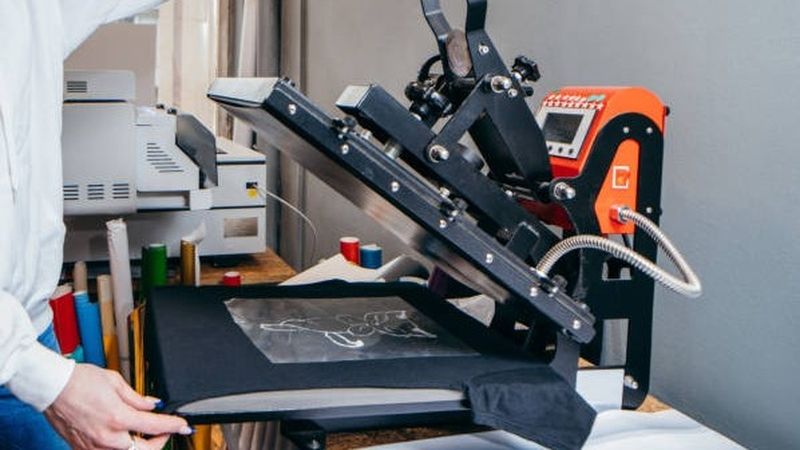
One of the simplest and most common methods of conducting custom t-shirts printing is through heat pressing. It is low cost, easy to use, and ideal for small businesses, hobbyists, or any person who wishes to make his own designs. Whether it is for events or merch that you are making, a heat press could enable you to have a nice, clean and long lasting outcome in case you get it right.
Avoiding mistakes like cracking designs, shrinking of shirts, or a mismatch of the print is important. Such problems normally occur due to lack of inclusion of steps or incorrect settings. This tutorial will guide you around all that you should know in printing t-shirts with a heat press. This applies not only in the process of selecting the appropriate tools and establishing your machine but also in the prevention of various errors and the subsequent expansion of your t-shirt company.
What Is Heat Press T-Shirt Printing?
Heat press printing uses heat and pressure to transfer a design onto fabric. You use special materials like heat transfer vinyl (HTV), screen print transfers, or DTF transfers. It sticks well and stays durable even after washing when you press the design onto the shirt at the right temperature and for the right amount of time.
This method is popular because it does not need big and expensive machines or complicated setups. You can make professional-quality shirts right from your home with the right heat press and materials.
Essential Equipment and Materials for Heat Pressing
Having the right equipment and materials is important. This makes heat pressing easier and helps you to get professional results every time.
Choosing the Right Heat Press
There are different types of heat presses, but the two most common are clamshell and swing-away.
- Clamshell presses open like a clamshell, going straight up. They take up less space. This is great if you have a small workspace.
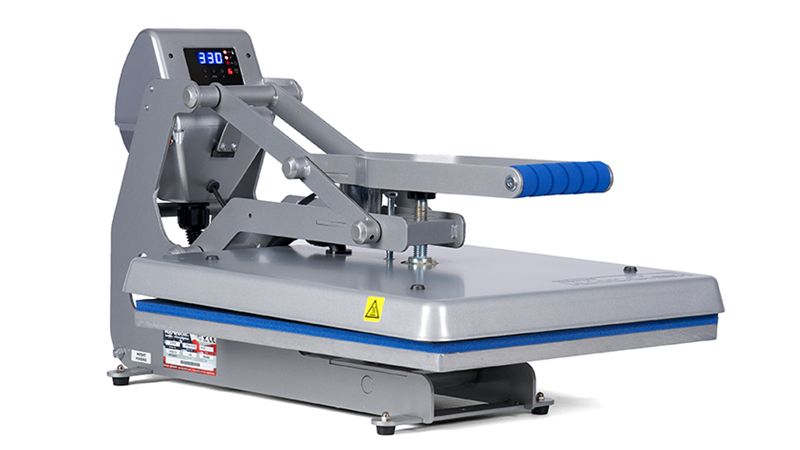
- Swing-away presses swing the top platen to the side, giving you more room to work and making it easier to press thicker designs evenly.
Best T-Shirts for Heat Pressing
The most popular fabrics are cotton, polyester, and cotton blends.
- Cotton is easy to work with and handles heat well.
- Polyester needs lower heat to avoid burning or melting.
- Blends combine features of both but might need some testing to get the best results.
Types of Transfers
- Heat Transfer Vinyl (HTV) is great for simple designs like names or logos.
- Screen print transfers give a soft feel and vibrant colors.
- DTF (Direct to Film) transfers work on many fabric types and allow for detailed, colorful designs.
Helpful Tools
- Teflon sheets protect your shirt and heat press during printing.
- Heat-resistant tape keeps your design in place while pressing.
- Weeding tools help you remove extra vinyl or material before pressing.
How to Heat Press a Shirt Step-by-Step?
Taking your time and following each step of printing t-shirts with a heat press carefully makes a big difference in how your finished shirt looks. Small details can be the difference between a smooth and professional print and one that cracks, peels, or looks uneven. Following these simple steps will help you create clean, professional-looking t-shirts that last.
Step 1: Get Your Shirt Ready
Before you start, check the shirt for any lint, dust, or moisture. Even tiny bits can stop the design from sticking properly. Use a lint roller to clean the shirt and make sure it’s completely dry. Lay the shirt flat and smooth out any wrinkles by hand.
Step 2: Pre-Press the Shirt
Press the shirt for about 5 seconds without the design. This removes wrinkles and moisture and warms up the fabric a little. Skipping this step can cause uneven prints or poor sticking.
Step 3: Position Your Design
Place your design carefully on the shirt. A good trick is the "three-finger rule": place three fingers down from the collar to find the center of the chest. Make sure the shirt is flat and smooth before putting the design down. Taking a moment to double-check the placement can save you from wasting shirts.
Step 4: Set Temperature, Time, and Pressure
These settings depend on the shirt fabric and the type of transfer you are using.
- Do you want to know how long to heat press 100% cotton? For 100% cotton shirts, a common setting is 305 to 350°F. The duration should be around 10 to 15 seconds when applying medium pressure.
- Use medium to firm pressure. If the pressure is too light, the design won’t stick well. On the other hand, if the pressure is too hard, you might damage it.
- Always follow the instructions that come with your transfer material. It is a good idea to test on a spare shirt first.
Step 5: Press the Shirt
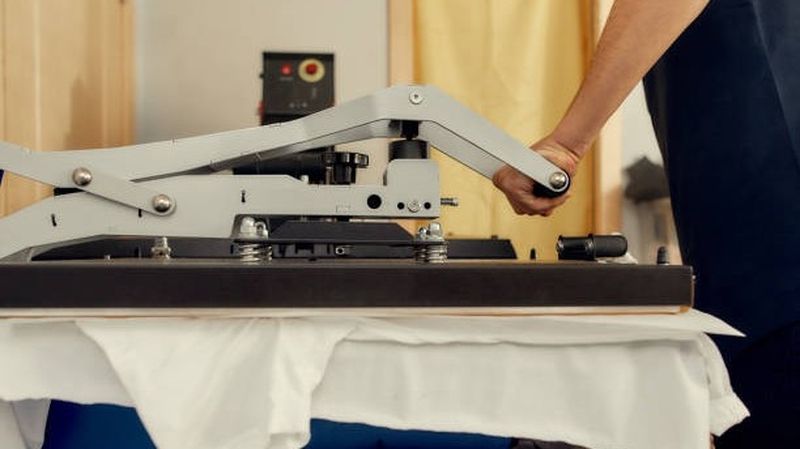
Close the heat press smoothly and apply even pressure. Don’t move the shirt while pressing. Let the press finish the full time without opening early. Opening too soon can weaken the design and make it peel faster.
Step 6: Peel Off the Backing
Some transfers need to be peeled off while still hot (hot peel), others after they cool down (cold peel). Check your transfer’s instructions carefully. If the design starts to lift, put the backing sheet back down and press again for a few seconds.
What Are Common Mistakes When Using a Heat Press?
Many problems come from simple mistakes that are easy to fix once you know what to look for.
- Designs Not Lined Up or Ghosting
If your design moves while you are pressing or when you lift the press, it can leave a shadow or blurry effect called ghosting. Using heat-resistant tape to hold the design in place and lifting the press straight up can help stop this. - Wrong Temperature or Pressure
Too much heat can burn the shirt or crack your design. Too little heat means the design might peel off after washing. Pressure is just as important as temperature. Too light pressure and the design won’t stick well. Too much pressure and it can get damaged. - Skipping the Pre-Press
Moisture in the fabric is one of the main reasons designs don’t turn out well. Doing a quick pre-press to remove wrinkles and moisture helps your design stick better and keeps results consistent.
Scaling Your Production: From DIY to Professional Business
Heat pressing works great for small orders, custom designs, or testing new ideas. However, doing every shirt by hand can become tough as your business grows. Orders stack up, time gets tight, and mistakes can start to add up.
That is when it is smart to scale your work. Some people keep heat pressing for special or one-off projects. However, they use print-on-demand (POD) services for bigger or repeat orders. Services like PODpartner let you move from manually pressing every shirt to automated production and shipping. This is all true without having to keep inventory.
PODpartner even offers a premium heat transfer vinyl (HTV) option. It helps you to combine hands-on vinyl work with professional-level production. This way, you can focus on creating designs and growing sales while they handle the printing and shipping for you.
Using a hybrid approach helps sellers grow without giving up quality or control.
Conclusion
Printing t-shirts with a heat press is a great way to start making custom apparel. When you follow the steps carefully and use the right materials, you can create clean, long-lasting designs and have full control over your creativity. Avoiding common mistakes is key to getting professional results.
As you get better and start receiving more orders, thinking about how to grow your business early on can save you time and stress. Combining hands-on heat pressing with professional printing and fulfillment services lets you expand while keeping your quality high.
With practice, patience, and the right tools, heat press printing can grow from a fun hobby into a steady source of income.
Further reading

No Order Minimums

No Membership Fees

No Unsold Stock

No Quality Concerns
Only Creativity, Satisfaction, and Profits!