
 USD
USD
RGB vs CMYK: Which is Better for Printing? [Practical Guide]

![RGB vs CMYK: Which is Better for Printing? [Practical Guide]](https://img.podpartner.com/static/CmsFiles/cmyk_vs_rgb_f606f12f24.jpg)
RGB vs CMYK is a major debate that every print-on-demand seller, brand, and designer has to face while designing artwork for print on t-shirts, hoodies, posters, packaging, and much more. But deciding which is better between RGB vs CMYK is not a straightforward answer, as both of these color modes work differently.
So, in this guide, we’ll break down the differences between RGB vs CMYK for print in detail, along with the tips to help you prepare the files correctly and avoid costly color mistakes.
What is RGB?
RGB stands for Red, Green, Blue. These are the three primary colors of light. The RGB color mode is also called an additive color model because it involves creating color by adding light.
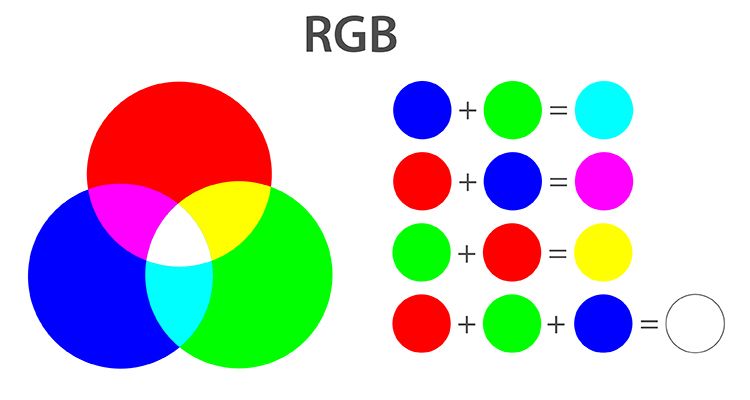
Everyone sees the applications of RGB in their everyday lives, even if they don’t realize that it is RGB in action. Some of the many use cases of RGB are as follows:
- Smartphone screens
- Computer monitors and desktop screens
- TVs
- Digital cameras
- Web graphics
RGB is perfect for digital screens and displays, but it is not the primary color mode for most printers because printers work with ink, and not light. If you print an RGB design without converting it into CMYK at all, the end result can be dull, muted, and quite different from what you saw on the screen.
This is in terms of creating designs for apparel items, it is recommended that you use a combination of CMYK and RGB. We’ll dive into this in detail later.
What is CMYK?
CMYK stands for Cyan, Magenta, Yellow, and Key (Black). It is a subtractive color model because it creates color by subtracting light from white paper using ink. This basic definition itself reveals the key differences between CMYK and RGB color modes.
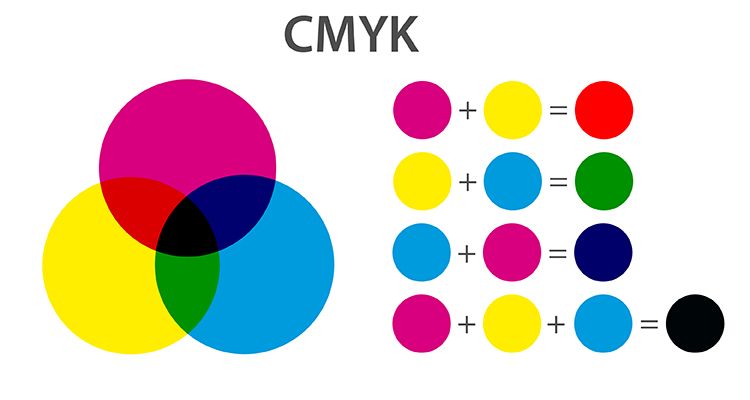
CMYK is the standard color mode for:
- T-shirt printing
- Print-on-demand merchandise
- Product packaging
- Business cards
- Flyers
- Branding materials
Importance of CMYK for Print
When you add ink to white paper through printers, you are blocking the wavelengths, which means you are subtracting the colors. This is the main working principle of the CMYK color mode and printers.
Overall, the CMYK color range is much smaller than the RGB. So, the vibrant hues you see on screen in RGB mode are not often translated exactly onto the final product. This is why it is important that you prepare the artwork in CMYK before converting it back to RGB and sending it to the printer.
RGB vs CMYK: Key Differences (Comparison)
The following table summarizes the key differences between the RGB and CMYK color modes:
| Feature | RGB | CMYK |
|---|---|---|
| Color Model | Additive (light-based) | Subtractive (ink-based) |
| Common Uses | Digital screens | Physical printed products |
| Color Range | Vibrant colors, including neon | Smaller range with more natural colors |
| File Appearance | Bright | Slightly duller |
| Best For Designers | Web graphics, UI, social media, digital ads | T-shirt designs, posters, business cards, packaging |
How to Prepare Your Files for Print (Best Practices)
Now that you understand the differences between RGB vs CMYK, you should also learn how to prepare your files efficiently for print. It can help you avoid reprints, customer complaints, and many other color headaches.
Step 1: Convert to CMYK Early
If your end goal is to create a design for printing, you should start in CMYK. Some designers might already have the RGB design file, so it is important that you convert it to CMYK early for an accurate color profile.
Step 2: Use High-Resolution Images
Always use HD images to create designs for printing. Generally, you should use 300 DPI (dots per inch) for print. Also, avoid upscaling low-resolution images as they will look blurry on the finished product.
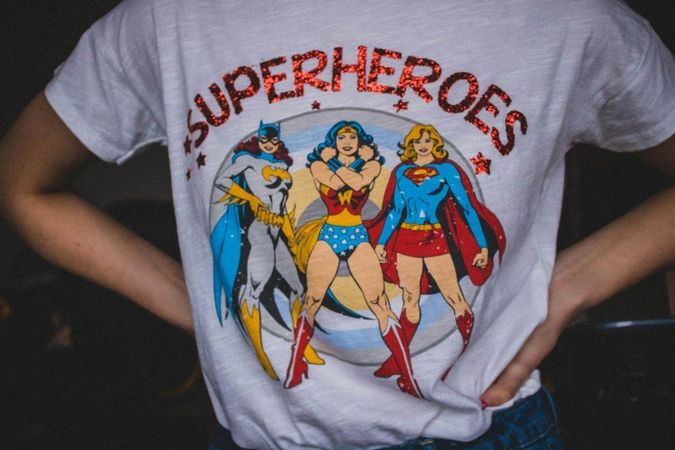
Step 3: Avoid RGB-Only Colors
When you are designing in CMYK mode, you can add different colors to your designs. It is recommended that you avoid using only the RGB colors, as too much neon blue, green, and pink can be quite difficult to print accurately. If your design only has these colors, you can end up with unsaturated colors.
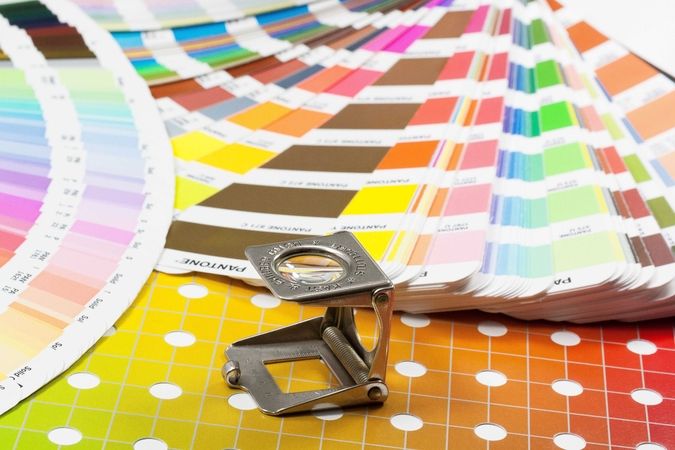
Step 4: Use a Reliable Design Creator Tool
You can find many different print design makers on the internet. But you should use the one that is powered by a reliable technology and brand to get accurate results. PODpartner Design Creator is a reliable tool you can use for this purpose because an actual print-on-demand service is behind it.
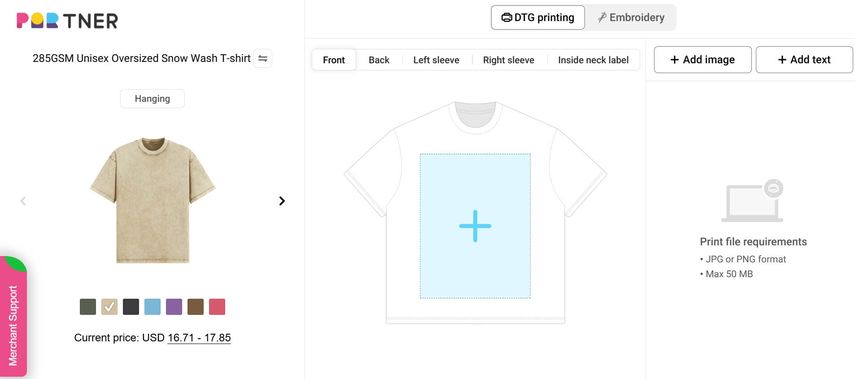
So, not only can you create designs through this tool, but also place the product order on the platform. You can get the best results from PODpartner Design Creator by:
- Designing your artwork in the CMYK color space for accurate color matching and minimizing the chances of color differences in the actual product.
- Converting your final design back to RGB before the final submission to ensure PODPartner is able to accurately print your design.
This is an ideal designing and printing process because it makes the best use of both CMYK and RGB color modes.
Step 5: Always Order a Sample
Finally, once your design is finalized, you should order a sample first. This is one of the most important steps and tips you need to keep in mind. Ordering a physical sample is essential to see how exactly the colors appear on the finished product and whether you need to make any adjustments before placing a bulk order. This step also prevents any surprises and costly mistakes.
Frequently Asked Questions
Which is better, RGB or CMYK?
In the RGB vs CMYK debate, neither mode is universally better. They are both designed for different purposes. RGB is excellent for digital screens, where colors are created by light, while CMYK shows better printing quality because colors are produced using ink.
Why do printers use CMYK, not RGB?
Printers use CMYK because printers apply ink to paper. RGB mode is based on light, which printers cannot reproduce. Moreover, CMYK mode also ensures accurate and precise control of ink coverage.
Can I convert RGB to CMYK without losing quality?
You can convert RGB to CMYK, but expect a little bit of quality and color loss in this conversion, especially if your design has bright shades. Therefore, it is recommended that you start with high-resolution files and convert them using professional software like Photoshop. Plus, your design should be in CMYK initially before converting it to RGB right before the printing process.
Conclusion
Understanding the differences between RGB vs CMYK is essential for anyone trying to prepare artwork for printing and launching a successful POD business. What you need to remember is that RGB is a vibrant color mode and ideal for digital designs.
However, CMYK is the winner for print accuracy. It helps you in matching your printed designs with what you see on the screen. Since both of these modes have their own strengths, this guide explains how you can prepare your files for printing by creating the design in CMYK color space and making the final conversion to RGB.
The best part is that PODpartner allows you to create the design and order a sample from the same platform, so you can manage everything from the same dashboard. Overall, following the tips discussed throughout this guide will help you create a simple and effective workflow to ensure your final printed product is visually correct and appealing.