
 USD
USDHow do I edit product information?
If you want to edit a published product on PODpartner, see the steps below:
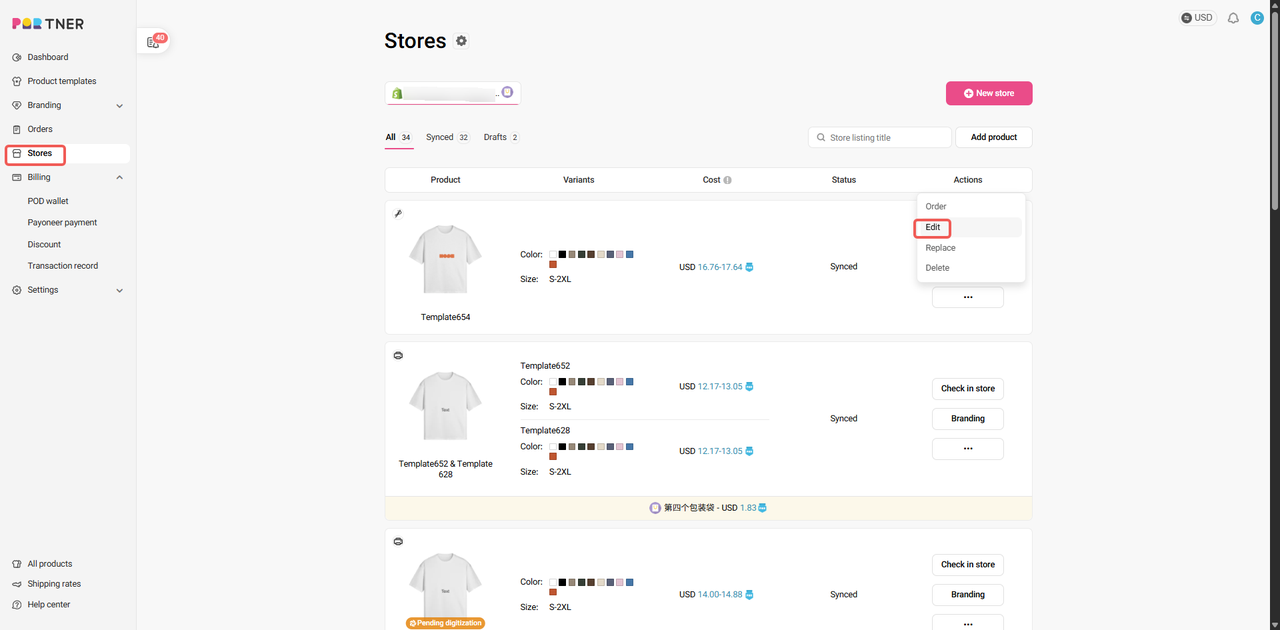
1. Go to Dashboard > Stores;
2. Choose the store where you listed the product;
3. Find that product and hover your cursor over the ellipsis at the right of the row;
4. Click "Edit" on the pop-up menu; (Please note that you can edit variants/mockups/product description/branding and pricing through this button.)
5. Make changes and press "Continue to publish";
6. Any changes to the product will be synced to your online store.
Note that after the updates, the visibility of your store listings will stay the same as what you set previously.